










Internet / Mobile Banking
Now bank anytime, anywhere
Guidelines for Accessing Our Revamped Internet and Mobile Banking Services
We are excited to introduce our new Internet Banking and Mobile Banking platform for a seamless banking experience. Please note that the old Internet Banking and Mobile Banking services have been deactivated.
To access the New Internet and Mobile Banking Platforms please follow the guidelines below :
Internet Banking Customers:
-
Existing Internet Banking/Mobile Banking Users:
- You will receive an activation link on your registered email to set up access to the new platform. A notification will also be sent to your registered mobile number.
*Important: The activation link is valid for a limited time. If you don't find it in your inbox, kindly check your spam/junk folder. - Click on the activation link and follow the steps to complete your setup.
- Use your existing Login ID and new password to log in.
- You will receive an activation link on your registered email to set up access to the new platform. A notification will also be sent to your registered mobile number.
-
If You Haven’t Received the Activation Link:
- Ensure your contact details are updated with the bank.
- If you haven’t accessed Internet Banking or Mobile Banking for a long time, visit your home branch for assistance.
-
First-Time Internet Banking Users:
- Visit your home branch to activate your account.
- After activation, complete the Self-Registration process by clicking ‘First-Time User? Click Here’ on the login page.
-
For Corporate Customers:
- You must fill out the new Corporate Internet Banking (CIB) form available at your branch.
- The bank will notify you once your registration is complete.
-
Mobile Banking Customers:
- Download our new mobile app, TJSB Smart, from the Google Play Store or Apple App Store.
- Registration via Internet Banking is required to log in to the app.
We are here to help you with the transition! For any further assistance, please contact your home branch.
Thank you for banking with TJSB.
- NEFT RTGS limits on Bank holidays (including Sundays) and non-banking hours
NEFT - Internet Banking and Mobile Banking
| 00:00 to 06:59:59 | 07:00 to 22:59:59 | 07:00 to 22:59:59 | 23:00 to 23:59:59 | |
| All Days | Working day | Holiday | All Days | |
| Minimum Amount | Rs. 1.00 | Rs. 1.00 | Rs. 1.00 | Rs. 1.00 |
| Maximum Amount | Customer Limit or Rs. 5 lacs whichever is lower | Customer Limit | Customer Limit or Rs. 5 lacs whichever is lower | Customer Limit or Rs. 5 lacs whichever is lower |
RTGS - Internet Banking & Mobile Banking
| 00:00 to 06:59:59 | 07:00 to 22:59:59 | 07:00 to 22:59:59 | 23:00 to 23:59:59 | |
| All Days | Working day | Holiday | All Days | |
| Minimum Amount | Rs. 200000.00 | Rs. 200000.00 | Rs. 200000.00 | Rs. 200000.00 |
| Maximum Amount | Customer Limit or Rs. 5 lacs whichever is lower | Customer Limit | Customer Limit or Rs. 5 lacs whichever is lower | Customer Limit or Rs. 5 lacs whichever is lower |
Please call up our customer care number 1800 103 466 / 1800 266 3466 or visit any of our TJSB Bank branch.
Visit our secure Internet banking site only through official TJSB Bank website. Avoid accessing the site through a link from other websites or an e-mail and verify the domain name displayed to avoid spoof websites.
Always check the 'padlock symbol' on the bottom right-hand corner or address bar of webpage to ensure that you are connected to a secure session with TJSB Sahakari Bank Ltd. This confirms that the site you are interacting with is secured and is https://netbanking.tjsb.bank.in/digital/
Users of high-security browsers will see visual cues that are triggered by the presence of an SSL Certificate.
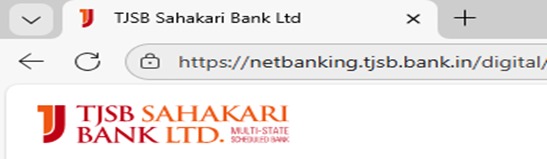
Extended Validation Secure Sockets Layer (SSL) Certificates are special SSL Certificates that work with high security Web browsers to clearly identify a Web site's organizational identity. Extended Validation (EV) helps you make sure a Web site is genuine and verified.
Internet Banking:
Do's
- Keep your mobile number and email ID registered and updated in bank's records to get alerts of transactions.
- Ensure your computer and mobile devices have up-to-date security software, including antivirus and firewall protection.
- Use complex passwords, hard to guess, avoid keeping common phrases, dictionary words as your password and your personal details embedded in the passwords. Secure passwords usually combine letters, numbers, and symbols, or are built as a passphrase. Change your password periodically.
- Always type the address of the bank website in the address bar of the browser to access website. Kindly ensure it is typed correctly to avoid proceeding to illegitimate websites. Visit our secure Internet banking site only through official TJSB Bank website.
- Check the website address and padlock symbol on the address bar of your browser before you enter user ID and password.
- Log out from Internet Banking after you complete your transactions. Don’t just close your browser before you log out.
- Please regularly log into Internet Banking and check statements for legitimate transactions.
Dont's
- Do not share your One Time Password (OTP), pin, password, card details & any other sensitive information with anyone, even if the other person claims to be a bank official.
- Do not access internet banking through public computers /cyber-cafes/free Wi-Fi. Do not respond to phishing E-mails claiming to be from Reserve Bank of India. Don't access the bank website from a link provided in an email or from any other source.
- Do not store your login details in your browser's saved passwords feature.
Mobile Banking:
Do's
- Install an effective mobile anti-malware/anti-virus software on your mobile device and keep it updated.
- Use strong, unique passwords for your mobile banking application.
- Keep your device’s operating system and mobile banking app updated to the latest versions.
- Enable biometric authentication (fingerprint or face recognition) if available.
- Only use the official mobile banking application downloaded from the official app store.
- Log out of the application completely after each session.
- Use a secure, password-protected Wi-Fi network or your mobile data connection for banking transactions.
- For additional security, always create different passwords for each service like mobile banking, internet banking, UPI, debit card, corporate banking etc.
Dont's
- Do not share your login credentials or PINs with anyone.
- Do not use public Wi-Fi networks for accessing sensitive financial information.
- Do not save your password or login details on your mobile device.
- Do not install applications from unknown or untrusted sources.
- Do not leave your device unattended while logged into the mobile banking application.
- Do not click any URL in message that you are not sure about.
- Be careful about the websites you are browsing via mobile, if it does not look authentic, do not download anything from it or do not provide any sensitive information.
- Never download and install applications from untrusted sources.